

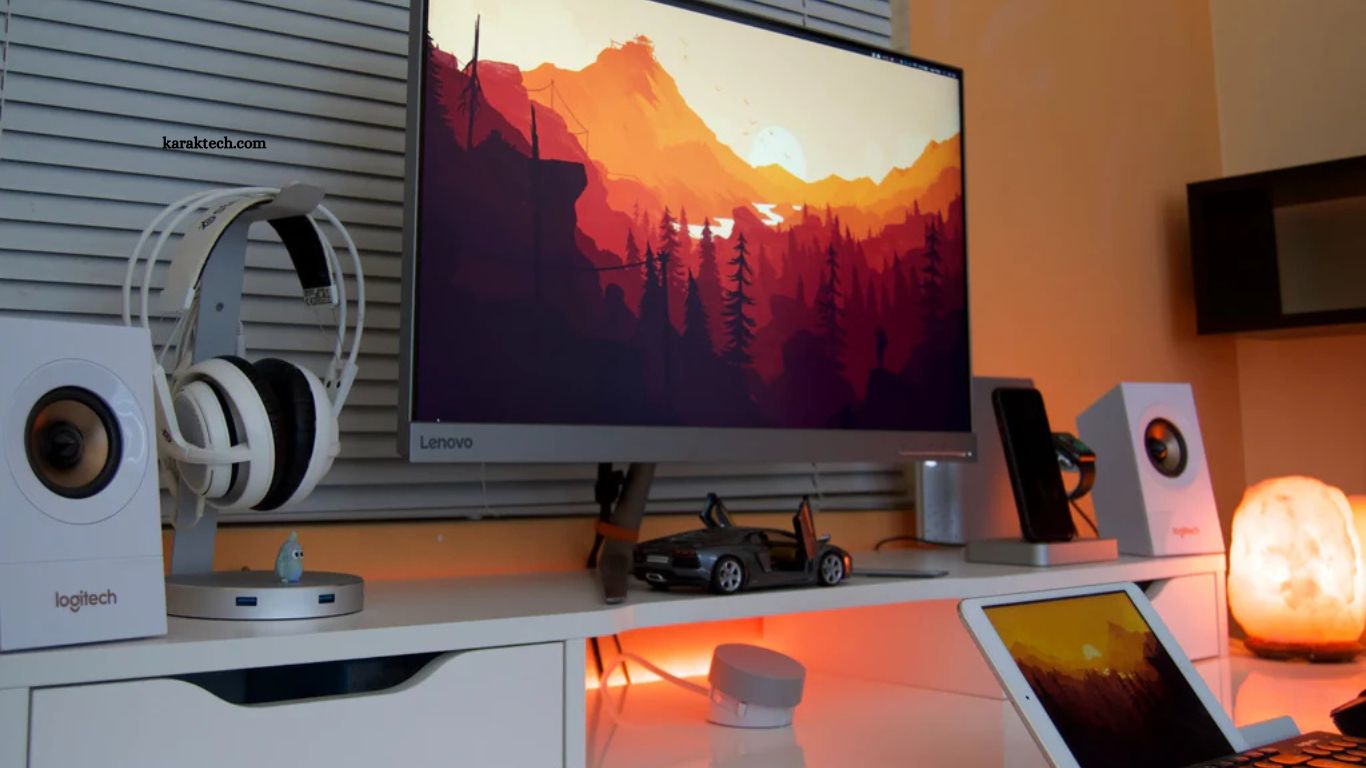
A professional gaming setup goes beyond appearance. Every component influences reaction time, comfort, concentration, and long gaming sessions. Competitive players understand that reliable equipment and an organized workspace create better performance during intense matches.
Whether competing in esports tournaments or streaming gameplay, a carefully planned gaming station supports consistent results. Modern gaming setups combine powerful hardware, ergonomic furniture, optimized lighting, and smart cable management to create an environment where every detail contributes to success.
Read More: Best Free Games You Can Play Today
Why a Professional Gaming Setup Matters
Professional gaming demands precision, speed, and consistency. Every second counts during competitive gameplay, making reliable equipment an important part of overall performance. A quality setup minimizes distractions, improves comfort, and allows players to maintain focus for extended periods.
Comfort also plays a significant role in competitive gaming. Poor posture or uncomfortable seating often leads to fatigue, reducing concentration and reaction speed. Investing in ergonomic equipment creates a healthier environment while improving long-term performance.
A well-organized gaming station also enhances confidence. Clean layouts, proper monitor positioning, and accessible peripherals allow players to concentrate entirely on strategy rather than workspace distractions.
Choose a High-Performance Gaming PC
Every professional gaming setup begins with a powerful computer capable of handling demanding titles without performance drops. Modern processors paired with advanced graphics cards deliver high frame rates, smooth gameplay, and faster loading times.
Adequate RAM ensures seamless multitasking while running games, streaming software, voice communication, and background applications simultaneously. Fast NVMe SSD storage significantly reduces loading screens and improves system responsiveness.
Efficient cooling remains equally important. High-performance components generate considerable heat during extended gaming sessions. Quality air cooling or liquid cooling solutions maintain stable temperatures while preserving maximum performance.
Select a High Refresh Rate Gaming Monitor
Display quality directly affects gaming performance. High refresh rate monitors provide smoother visuals, allowing players to react more quickly during fast-paced action.
Low response times reduce motion blur, making enemy movement easier to track. Many professional gamers prefer monitors supporting refresh rates of 144Hz, 240Hz, or even higher for competitive shooters and esports titles.
Proper monitor placement also improves comfort. Eye-level positioning helps reduce neck strain while maintaining an ideal viewing angle throughout long gaming sessions.
Invest in Comfortable Ergonomic Furniture
Professional gamers often spend several hours practicing daily. Comfortable furniture becomes essential for maintaining physical health and sustained focus.
An ergonomic gaming chair supports proper posture while reducing pressure on the back, shoulders, and neck. Adjustable armrests, lumbar support, and reclining features create a customized seating experience.
A spacious gaming desk provides enough room for multiple monitors, keyboard movement, mouse control, and additional accessories without creating clutter.
Mechanical Keyboards Improve Competitive Performance
Mechanical keyboards remain a favorite choice among professional gamers due to their durability and responsive switches.
Different switch types offer unique typing and gaming experiences. Linear switches deliver smooth key presses suitable for fast-paced games, while tactile switches provide noticeable feedback preferred by many strategy players.
Customizable RGB lighting, programmable macros, and premium construction further enhance usability without compromising reliability.
Precision Gaming Mouse Creates Faster Reactions
A gaming mouse serves as one of the most important competitive tools. High-quality sensors deliver accurate tracking with minimal input delay.
Adjustable DPI settings allow players to customize sensitivity according to personal preferences and game genres. Lightweight designs reduce wrist fatigue while enabling faster movements during competitive matches.
Comfortable grip styles also improve control. Selecting a mouse that naturally fits hand size contributes to greater consistency during extended gameplay.
Crystal Clear Audio Provides Competitive Advantages
Sound awareness influences decision-making in many competitive games. High-quality gaming headsets reproduce footsteps, gunfire, environmental effects, and directional audio with remarkable clarity.
Noise isolation helps eliminate external distractions while improving focus during intense matches. Clear microphones also support effective communication between teammates, creating stronger coordination during competitive play.
Many professional players prioritize balanced audio quality rather than excessive bass because accurate positioning delivers greater tactical benefits.
Optimize Internet Connectivity
Stable internet connections remain essential for competitive gaming. Low latency reduces delays between player actions and server responses.
Using wired Ethernet connections instead of wireless networks often provides greater stability and lower ping values. High-quality routers supporting gaming traffic prioritization further improve online experiences.
Keeping background downloads and automatic updates disabled during gameplay also prevents unnecessary bandwidth interruptions.
Smart Cable Management Creates Cleaner Workspaces
Cable organization improves both appearance and functionality. Loose cables collect dust, create unnecessary clutter, and complicate equipment maintenance.
Cable sleeves, clips, under-desk trays, and routing channels keep connections organized while improving airflow around gaming hardware.
A clean workspace also reduces distractions, allowing greater concentration during practice sessions and tournaments.
RGB Lighting Enhances Gaming Atmosphere
Lighting transforms ordinary gaming rooms into immersive environments. RGB lighting systems allow players to personalize setups according to favorite colors, games, or streaming themes.
Bi-directional lighting placed behind monitors reduces eye strain by balancing screen brightness with surrounding room illumination. Smart lighting systems synchronized with gameplay further increase immersion without affecting performance.
Moderate lighting levels generally provide better comfort than excessively good effects during extended gaming sessions.
Multiple Monitors Increase Productivity
Professional gamers frequently use dual or triple monitor configurations for improved efficiency.
Secondary displays allow stream monitoring, chat management, performance tracking, guides, and communication software without interrupting gameplay. Content creators especially benefit from dedicated screens for recording software and audience interaction.
Proper alignment between monitors maintains comfortable viewing angles while maximizing workspace organization.
Keep Your Gaming Setup Clean
Routine maintenance preserves both performance and appearance. Dust accumulation restricts airflow, causing higher temperatures and potential hardware issues.
Regular cleaning of keyboards, mice, monitors, cooling fans, and desk surfaces creates a healthier environment while extending equipment lifespan.
Software maintenance also remains important. Updating drivers, removing unnecessary applications, and monitoring storage health ensure systems continue operating efficiently.
Personalize Your Gaming Space
Professional gaming setups reflect individual personality while maintaining functionality. Decorative accessories, framed artwork, collectibles, acoustic panels, and subtle LED accents create an inspiring workspace.
Personalization should complement performance rather than introduce distractions. Balanced design choices produce a comfortable environment supporting creativity, confidence, and competitive focus.
Future-Proof Your Gaming Equipment
Technology evolves rapidly, making upgrade planning an important consideration. Selecting quality components with expansion options allows gradual improvements instead of complete replacements.
Power supplies with additional capacity, spacious computer cases, upgrade-friendly motherboards, and modular storage solutions simplify future hardware upgrades while protecting long-term investments.
Planning reduces costs and ensures gaming setups remain competitive as software requirements continue advancing.
Frequently Asked Questions
What is the best gaming setup for pro gamers?
A setup with a powerful PC, high refresh rate monitor, ergonomic chair, and quality peripherals.
Why is a 240Hz monitor recommended?
It delivers smoother gameplay and faster visual response during competitive matches.
Do gaming chairs improve performance?
Yes, they provide better posture and reduce fatigue during long gaming sessions.
Is a wired internet connection better than Wi-Fi?
Yes, wired Ethernet offers lower latency and a more stable connection.
Which peripherals are essential for pro gaming?
A mechanical keyboard, precision gaming mouse, and high-quality gaming headset.
How can I keep my gaming setup performing well?
Clean hardware regularly, update drivers, and ensure proper cooling and cable management.
Conclusion
Creating a professional gaming setup requires balancing performance, comfort, reliability, and organization. Powerful hardware, ergonomic furniture, responsive peripherals, stable internet, effective lighting, and clean workspace design collectively improve gaming experiences. Every carefully selected component contributes to faster reactions, better concentration, and greater consistency.
